Dealing with BIOS passwords in task sequences are annoying enough, and to do it securely is harder / impossible.
With recent release of DeployR 1.2+, the Secret Store has been added to the product: Set-Secret | Get-Secret | DeployR | Product Documentation, you can see the basics in the document page, so I won’t go into that here.
With this new feature available, I wanted to use it to set my BIOS settings on machines that had BIOS passwords. Now if you already have scripts or tools you use, you can easily retro fit what you have into DeployR and pull the password from the Secret store to apply to your current scripts, but for this, I’ll be showing my script, which is available and pretty easy to update to accommodate your BIOS settings needs.
I’ll be building off previous post’s work Dell BIOS Management – Native WMI & CCTK, so if you’re looking for a better understanding of the script and the WMI methods to configure BIOS settings on Dell, check out that post.
Updated Script for DeployR on GitHub: 2PintLabs/DeployR/TSScripts/Functions/Set-DellBIOSSettings.ps1
In the Dashboard:
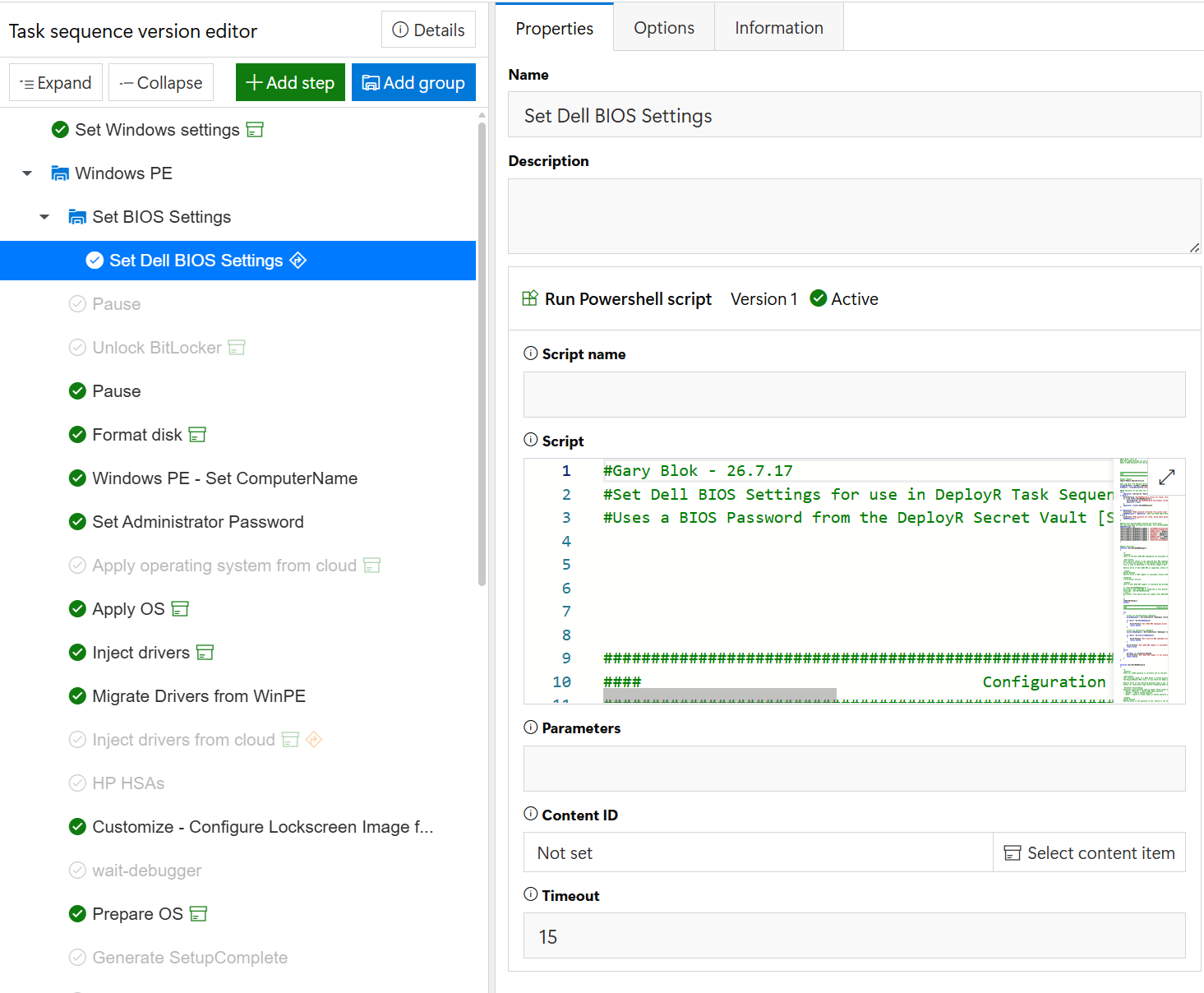
I have the step at the start of the task sequence, but you can really have it anywhere you want. I just like to do the BIOS stuff right away. I have a “Run PowerShell script” step, where I embedded the script.
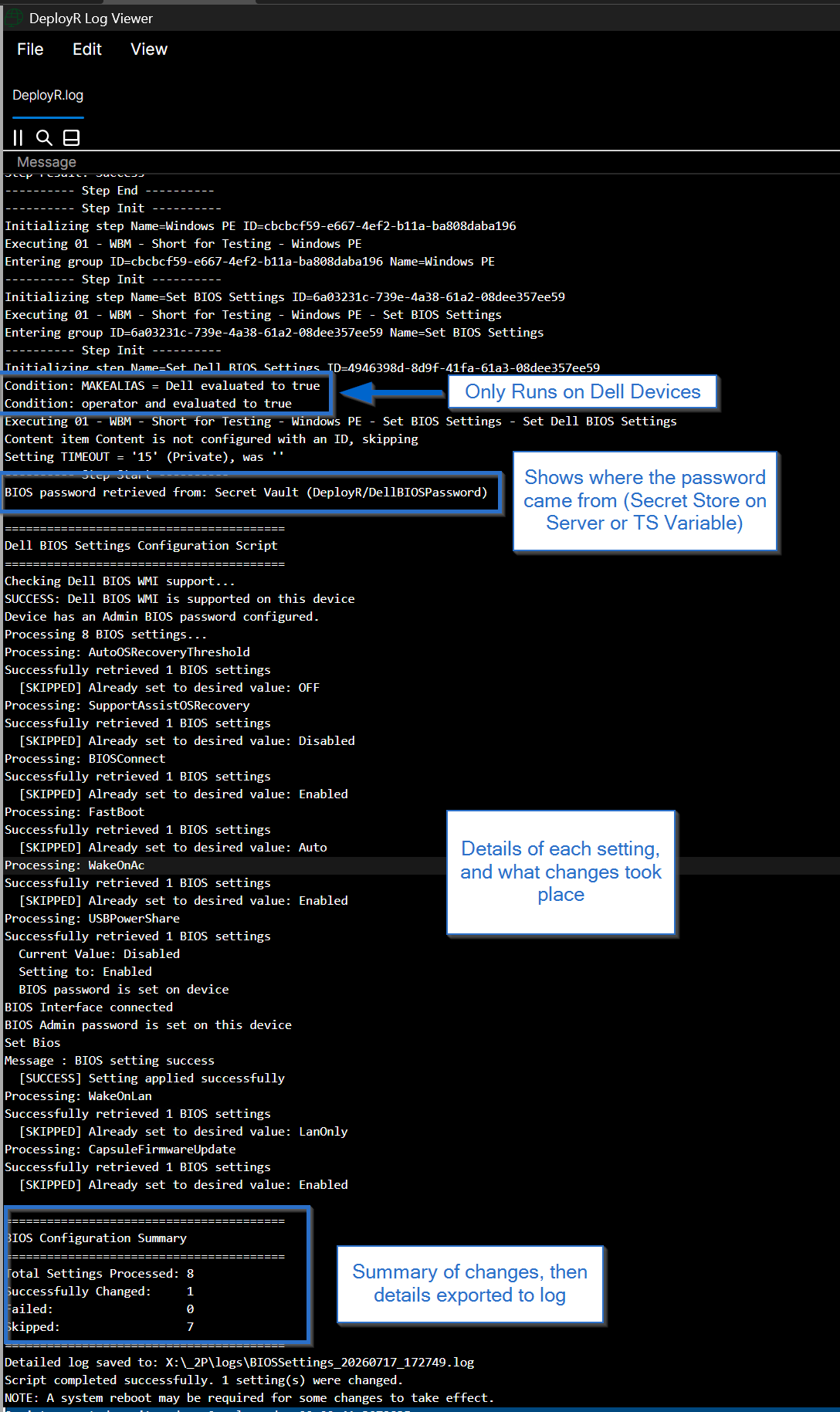
I have a condition, so it only runs on Dell Devices. [Query Builder MAKEALIAS = Dell]
Running in Task Sequence
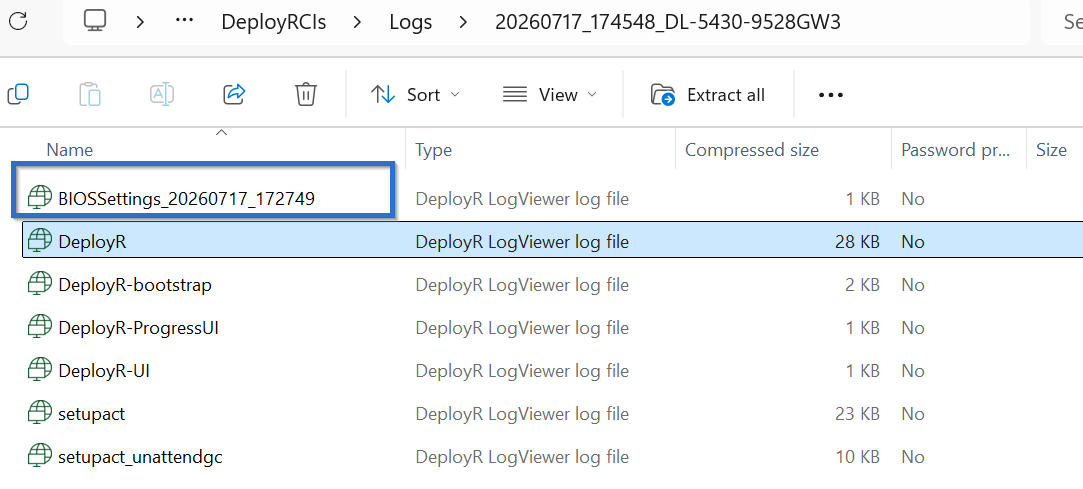
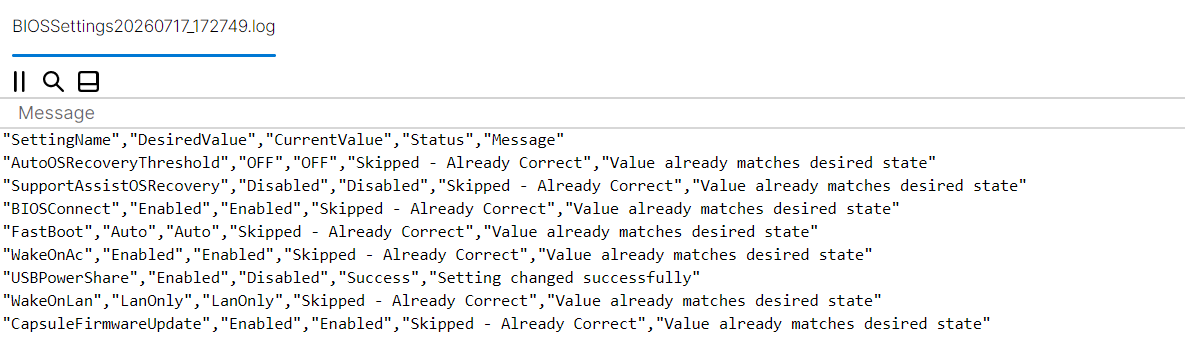
The script has a lot of write-host in it, which then show up in the DeployR log file giving you a nice read out of what has happened and changes made to the BIOS settings. It will also dump out the results to a log file in csv format at the end. The log is added into the DeployR logs folder, so it also gets zipped up and uploaded to the server at the end of the task sequence.
BIOS Settings output [in csv format]
This script should be another example of using secrets in DeployR as well as a quick start to getting your Dell BIOS settings managed
GARYTOWN.COM